
Blog

10 Ways to Keep Hackers Out of Your Website’s Pants

by Charleen Montano May 30, 2022

If you’re reading this, then you’ve likely heard that your website is at risk. You’re probably feeling like a deer caught in the headlights with no idea where to begin.

Let me reassure you: there are plenty of steps you can take to keep your company’s site secure. And if lighting up the web doesn’t give that deer-in-the-headlights look, then I don’t know what does!

You might think that your company’s website is just a place for people to go to learn more about your products, services, and values. But it’s actually so much more than that. Your website is a promotional tool and an essential business asset—and it needs to be kept safe and secure at all costs.

Today’s customers expect your online presence to have the same level of security as the bank where they manage their money or the retailer where they shop (or any other major site). In fact, if any aspect of your site’s security is compromised, most customers will just assume you’re not serious about protecting their personal information—and will take their business elsewhere.

That’s why it’s imperative for every website owner to understand and implement good web security practices. Here are some best practices you can use to ensure that your website stays secure:

 Choose a Reputable Host 

Choosing a reputable host for your website is important for many reasons.

First of all, a reputable host will ensure that your website is secure. They’ll have processes and procedures in place that are designed to protect your content from being accessed by hackers or other malicious individuals.

You also want to choose a host with good customer service. If you have issues with your site, you want someone who can help you solve them quickly without making you feel like they’re wasting your time.

Last but not least, it’s important to choose a host who offers good value for the price they charge. You need to be able to afford to host but still get great performance and reliability out of it.
 Keep Your Software Up to Date

Updating your software is all about security. Software updates fix security holes, bugs, compatibility issues, performance issues, and installation problems. But mostly the security ones. And the fewer holes you have for hackers to exploit, the better off you are.

The best way to keep your software up to date is to just do it automatically. In most cases, your software will install updates in the background and ask if you would like them when they’re done. If you have any doubts about whether a program needs an update or not, talk to your IT department or visit the developer’s website for more information.

 Back-Up Your Data
There are a number of ways you can back up your data on your website, but the most important thing you can do is make sure that all of your data is always being backed up. If you don’t have a way to ensure that everything is getting backed up, you risk losing all of your data if something happens to your site or computer.

You also need to make sure that you are keeping track of what is being backed up and when. You should be able to tell what has been backed up recently and when it was backed up. This will help ensure that nothing has been lost in the process and will allow for easy retrieval if needed.

 Use Strong Passwords
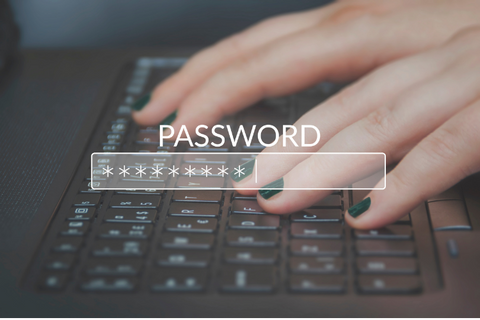
I know, I know. This is the most obvious thing in the world, but it’s also one of the most ignored by people who should know better—including me.

Using a password manager is your best bet for creating and remembering strong passwords for all of your accounts (with no forgetting or re-using!). You might think that writing down all those different passwords would be even more annoying than trying to remember them, but tools like LastPass will actually help you keep track of everything with just one master password. Before long, you’ll have built up an arsenal of super-strong credentials for every account under the sun and never have to worry about losing access again!

Additionally, strong passwords are longer and contain a mix of upper- and lower- case letters, numbers, and special characters.

The best way to create a strong password is to avoid dictionary words or variations of them (e.g., “pizza”), common phrases or sentences (e.g., “this is my first website and I love it”), and personal information (e.g., your pet’s name).

Use complex passwords that are easy for you to remember but difficult for others to guess by using one or more of these techniques:

  • Use an associative technique like creating a sentence based on a phrase you often use; e.g., “I hate this stupid site.”
  • Use an acronym for something random about yourself; e.g., if I were named Amber Smithson, then AMS21 would be my password because I was born on 2/21/81 at 12:34 pm EST in New York City.

 Limit Access to Administrator Account

One of the most important things you can do is limit access to administrator accounts to only those who need to know. This will help prevent unauthorized access and keep your data secure should an employee leave or be terminated.

Also, consider implementing a two-step authentication process so that even if someone does get into your network, they won’t be able to do much damage without the second piece of information (typically sent via text message).

And finally: use a password manager! A majority of people still use passwords like 123456 or qwerty123 as their primary login credentials—but these are easy for hackers to guess. Using software that generates strong passwords and stores them in an encrypted database will prevent you from having weak security measures on multiple devices (not just your laptop but also phones and tablets).

 Protect Against Malware

Malware is a broad term that refers to software designed to infiltrate your computer and cause damage. Malware can infect your computer through email attachments, websites, or other sources.

Malware often steals personal information like credit card numbers and passwords, which it uses to gain access to accounts and make fraudulent purchases. It can also cause damage by deleting files from your hard drive.

Malware can infect your system by exploiting security vulnerabilities in operating systems or applications (e.g., Microsoft Word).

Since malware attacks are often the result of phishing scams, it’s important for your employees to be aware of the dangers lurking in their inboxes and social media feeds. If you have an employee that detects a suspicious email or link, they should report it immediately so it can be examined by security professionals.

 Create a Disaster Recovery Plan

You should have a disaster recovery plan in place to minimize the impact of data loss and system downtime. It’s important to have a plan in place so that you can recover quickly after an incident, such as losing your primary server or experiencing an outage due to natural disasters like fire, flood, or earthquake.
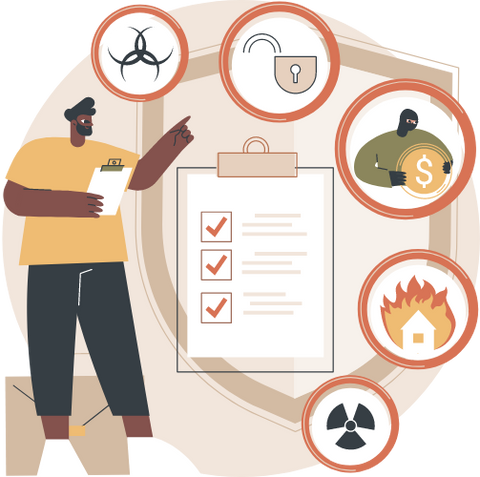
If your organization has multiple locations, it is also vital that you have plans in place to recover from any type of disaster at each location (e.g., equipment failure). You can use a cloud-based service such as AWS DR or Azure Backup for these types of situations when traditional backup solutions are not feasible for your business needs (e.g., long time frames for restores).

 Use HTTPS, SSL, and SFTP Security
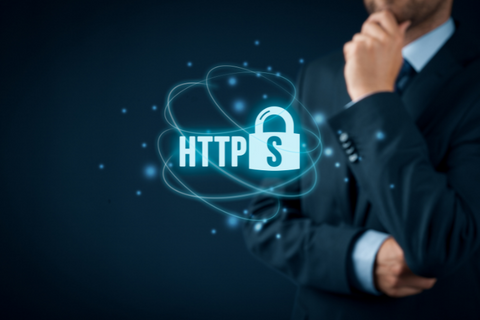
HTTPS, SSL, and SFTP are all methods of encrypting data for secure transmission over the internet. HTTPS is a security protocol used by web servers to create an encrypted connection between your computer and the website you’re visiting. It uses port 443 (or 80 when SSL is not available) on your browser’s default settings. The S stands for “Secure”—you can spot it by looking at the beginning of a website’s URL; if it starts with “https://,” you’ve got yourself some encrypted web browsing!

SSL is a cryptographic protocol used to provide authentication and encryption for websites secured using HTTPS. This means that when you visit Facebook or Google using SSL, everything from your passwords to financial information is kept safe from hackers as it travels across computers’ networks in plain text form before being converted into ciphertext (encrypted text). To enable encryption on these sites, ensure that both of its options are selected under Account Settings > Security.

SFTP stands for “SSH File Transfer Protocol” and allows users to securely transfer files over an encrypted channel using SSH keys instead of passwords, so even if someone stole one key pair from you, they couldn’t decrypt the rest without having access to another pair somewhere else too! If possible, try setting up SFTP rather than FTP because, unlike FTP which sends data unencrypted across networks where anyone could intercept them. At the same time, they sit in transit waiting their turn at being sent through routers/switches, etc.; SFTPS sends everything through one secure tunnel so only people who have access rights will be able to use those credentials.”

 Protect Your Website with a Web Application Firewall (WAF)

A WAF is a tool that sits in front of your website and monitors traffic for malicious activity. It’s like having an extra pair of eyes watching everything that happens on your site so you can focus on other things.

The WAF can:

  • detect attacks from the outside by analyzing HTTP requests, JavaScript code, and other data packets as they pass through its system. It looks for signs of attack such as known vulnerabilities or suspicious behavior (e.g., multiple login attempts using different usernames). If it detects an attack, it blocks it before it gets to your website, so visitors never even notice anything happened—they stay happy!
  • protect against intrusions originating inside the network by scanning internal servers and services for signs of compromise or misuse (e.g., unauthorized file changes) while keeping users unaware they’re being monitored through deep packet inspection technology that doesn’t touch their browsing experience at all except when needed to prevent potential threats from reaching their destination.)

 Be Careful What Plugins You Install
You may think that plugins are just a means to an end: they let you add new functionality and make your site better. But can you really trust them?

Yes, plugins can indeed be used for good. They can help improve the functionality of your site by adding things like contact forms, social media widgets, and more.

However, these same plugins can also be used for evil! Hackers have been known to take advantage of vulnerabilities in some plugins and steal data from websites that use them.

Therefore, it’s important to be careful about which third-party plugins you install on your site—you don’t want to get hacked!

In order to protect yourself from harmful hacks like this one (and keep your clients happy), make sure that any plugin you install has:

  1. Been downloaded from the official repository;
  2. Has permissions set appropriately; 
  3. Has been updated within the last three months or so; 
  4. Doesn’t contain any ads or popups;
  5. Hasn’t been installed by someone else already on another website (for example: if someone else installs a plugin called “Robot Arms,” then make sure yours doesn’t contain anything similar).

YOUR COMPANY’S WEBSITE IS AN ESSENTIAL PART OF ITS BUSINESS OPERATIONS, SO IT’S CRUCIAL TO KEEP IT WELL-PROTECTED AGAINST HACKERS AND CYBERATTACKS.

If you’re in charge of managing the company website, then it’s your job to keep it safe.

Your website is an essential part of your business operations. It provides customers with information about what you offer and how they can make purchases or access services. The site also gives them an opportunity to contact you if they have any questions or need help using the products or services that appear on the site.

In addition, many companies use their websites as a platform for marketing campaigns aimed at building brand awareness by promoting special deals, new products, and other newsworthy information — all things that will help grow revenue over time through repeat visitors who return regularly because they want more information from those sources (and hopefully from elsewhere).

Related articles and more: Website Tips & Tricks 

For all these reasons alone, it’s crucial for your company to keep its website secure from hackers who might try breaking into its servers through malware attacks or other methods intended for cybercriminals looking for financial gain at another person’s expense—a phenomenon commonly known as “cybercrime.”

Suppose someone successfully gains access to these systems without authorization (as when someone breaks through firewalls). In that case, they could potentially steal sensitive data such as customer credit card numbers and other personal information like names, addresses, etcetera, which would be highly damaging financially (since no one likes paying fines) BUT ALSO, reputationally speaking, since everyone loves keeping their info private!

Conclusion

You now have everything you need to set up a website that is safe and secure for your company. Just remember, the most important thing is to stay on top of it. You need to regularly maintain your website, keep all passwords up-to-date, and be mindful of any updates that might be available.

But don’t let this scare you off from getting started.

These security best practices are more than worth it because they will save you in the end!

So go forth and build an awesome website that provides value while also doing its part to keep us all safe online.

Let’s Secure Your Web

Need a hand in creating the safest place on the internet for your business?– A secure website?

We are here to assist you in putting your web security strategies into action.

Contact us!

(833) 886-2681

Strive Enterprise Official Website

We are the Best Web developers & Online Marketers in Las Vegas, Nevada!

Check out our Portfolio

We Also Offer Digital Marketing For Small & Big Businesses, SEO, E-Commerce, WordPress, PPC Campaign Development & Management for Google, Bing & Yahoo!, Facebook Ads, and more!

We wish you great success!

See you soon!
Blog

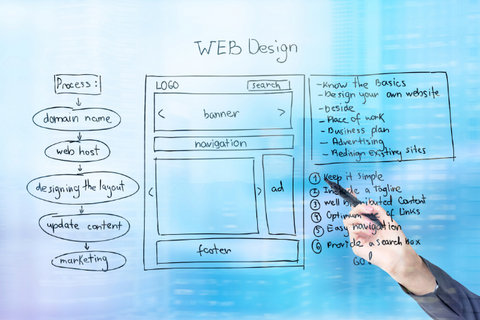
A Quick Explanation of Web Design & Web Development

The internet is a big place, and you don’t have time to wander aimlessly through the World Wide Web. You’ve got places to go and things to do, and you need a map that shows you the way.||

That’s where web designers come in.

Web designers are architects of cyberspace. They know how to take your goals from vague ideas in your head and transform them into concrete destinations on the web.

In other words, they’re skilled navigators who can help you explore the internet and find what you’re looking for—and then some!

But how do web developers fit into all this?

What is web design and development?

The 200th search term popped into my head when I was writing this blog post. Okay, wait, that’s not true.

It’s a big deal.

What is Web Development?

“What is Web Design?” you ask. Well, it’s the process of creating websites.

“What is Web Development?” you ask again, this time with a hint of irritation that we haven’t answered your question yet (other than to tell you that web design is the process of creating websites).

Well, web development is the process of making those sites come alive and function on their own. It’s like putting together Legos or building a house from scratch—you can’t do it without the right tools and skillset! And in this case, those tools are HTML5 and CSS3—they’re what makes your website run smoothly and look pretty; they’re what help you build an awesome site for your clients (or yourself)!

What is Web Design?

Web design is the art of creating websites—as I said.

But further to that, web design is the art of making websites look pretty so that people will want to visit them. It includes things like choosing colors and fonts, deciding where to place content, and thinking about the overall user experience.

It’s a lot like building a house—you have to make sure all the plumbing works and that the walls are strong enough to support the load they’ll have to bear. But instead of using wood, brick, and stone, you’re using HTML, CSS, and JavaScript to build your sites.

The 5 Main Types of Web Design

Web design is not a one-size-fits-all deal, and there are five main types of websites to choose from:

STATIC WEB DESIGN

Static web design is essentially what you’re thinking of when you think, “I want a website!” You give the designer your content, and they put together a beautiful layout for you, but there’s no interactivity at all. It’s just a pretty picture that people can look at and maybe even bookmark or share on social media if they really love it.

DYNAMIC WEB DESIGN

Dynamic web design adds interactivity to static pages. These sites might have drop-down menus, pop-ups, or other tricks that make them more appealing than plain old static sites. Dynamic sites generally use some kind of programming language like PHP or JavaScript, which makes them dynamic in nature because they can change based on user input (or without user input).

A good example would be an online store where customers can add items to their carts and check out using shopping cart software built into the site itself rather than having everything hosted by Amazon or another third-party service provider!

INTERACTIVE WEBSITES

Interactive websites take things even further with games, quizzes, and activities that allow users to engage directly with your brand’s personality! They may also incorporate elements like video clips or images instead of simple text links, as well as unique navigation patterns like scrolling rather than clicking through links on long pages with multiple sub-sections within them (think Facebook!).

RESPONSIVE WEBSITE

Responsive website is one that automatically adapts to the size of the device it’s being viewed on. The site looks good no matter what, whether it’s being viewed on a desktop computer, tablet, or smartphone.

Responsive web design is all about making sure that your website looks as good on mobile devices as it does on desktops. It’s an important part of any successful web strategy because more people are browsing the internet on their phones than ever before.

HYBRID

Hybrid web design is the combination of two or more designs to create a unique and cohesive look. This is not to be confused with a hybrid application, which is something that runs on multiple platforms.

Hybrid web design should not be confused with responsive web design either.

Responsive web design is when a website automatically adapts its layout based on the screen size of the device being used to view it.

A good example of a hybrid web design would be one that uses both flat and skeuomorphic elements in its design. For example, suppose you were designing an e-commerce site for women’s clothing and wanted to keep it clean and modern. In that case, you could use flat icons for navigation buttons but have a few skeuomorphic details like drop shadows or gradients on buttons that actually do something like “Add To Cart.”

The 4 Main Types of Web Development

 FRONT-END DEVELOPMENT

Front-end development is the process of building user interfaces and providing users with an interface that allows them to interact with a website or application. Front-end developers are responsible for creating websites and applications that are visually appealing and that work properly across different devices, platforms, browsers, and operating systems.

BACK-END DEVELOPMENT

This type of software does not need to be visible to users. It is something that works behind the scenes and helps with creating a website. The best example is when you are looking for something on Google. You type in your keywords, and then you get results from different websites on the internet. This is all done by back-end software.

 MOBILE DEVELOPMENT

Mobile development is the process of developing a mobile application for mobile devices, such as smartphones and tablet computers. Mobile applications often stand in contrast to desktop applications that run on desktop computers since the feature sets, usability, and design of mobile applications are often more constrained than those of desktop software. Mobile applications frequently utilize touchscreen input (e.g., swiping, tapping) and accelerometer and geolocation sensor input methods, which are features of many modern smartphones.

The rapid adoption of smartphones has led to a significant shift in the way users access services on the Internet and interact with one another socially. This shift has extended to business activities as well, where it is becoming increasingly common for employees to use their own mobile devices in lieu of traditional desktop computers while at work.

FULL-STACK DEVELOPMENT

Full-stack development is the activity of developing an entire application.

It involves building both the front-end and the back-end of an application, as well as coding for all aspects of it, such as the database or its security features.

Full-stack developers are often well-rounded programmers who are able to work on every part of a project, rather than specialize in one particular area.

Web Developer vs. Web Designer: What’s the Difference?

You may be wondering, “What exactly is the difference between a web designer and a web developer?”

Well, let me explain.

A web designer is responsible for the look and feel of a website—the colors, fonts, images, etc.—while the developer creates the code that makes it work. A good developer will have some design skills (for example: understanding how to use HTML/CSS), but this isn’t mandatory; you can always hire someone else as your designer if you don’t want to learn it yourself. The opposite applies too: many designers have no coding knowledge whatsoever!

You see where I’m going with this? There’s no need for it to split hairs about who does what in the field; they’re all just people who love working on websites together.

WEB DESIGN AND DEVELOPMENT ARE TWO SIDES THAT MAKE UP A COHESIVE WHOLE WHEN IT COMES TO MAKING WEBSITES, YOU NEED BOTH.

Essentially, web design is the art of making websites look good. Web development is the science of making websites work. They’re two sides of the same coin—you can have one without the other, and it wouldn’t be a very good website, but together they are what make up a cohesive whole when it comes to making websites, you need both.

What Does Web Design Agency Do?

A web design agency builds websites.

But wait, what does that mean?

A web design agency creates the look, feel, and function of your website—the whole package. They’ll work with you to develop a website that reflects your brand and serves its purpose: telling people who you are and why they should buy from you.

Web design agencies use their skills in graphic design to create clean, beautiful interfaces for your website. They also know how to build websites that are optimized for mobile devices so that anyone can access your site on any device at any time.

A web design agency can make your website into something that you can be proud of—something that will make your business stand out from the crowd.

Or in the simplest words, a web design agency does all the things you wish you could do yourself but don’t have the time or energy to.

Related: 5 Things Every Great Home Page Has! Strive Enterprise Websie Tips & Tricks Blogs

Subscribe to Jose Silvera’s YouTube channel and get our Website Tips & Tricks twice a week, live!

Get the Best Web developers & Online Marketers in Las Vegas, Nevada

(833) 886-2681

Strive Enterprise Official Website

Check out our Portfolio

We Also Offer Digital Marketing For Small & Big Businesses, SEO, E-Commerce, WordPress, PPC Campaign Development & Management for Google, Bing & Yahoo!, Facebook Ads, and more!

We wish you great success!

See you soon!

Blog

What Are Public Domain Images? Everything You Need To Know.

by Charleen Montano June 2, 2022

Are you looking for a free image that’s ready to use?

Well, you’ve come to the right place.

While there are plenty of websites out there offering free images, we’ve done the hard work for you and rounded up our 9 favorite sites that offer public domain images.

So go ahead and get inspired—no credit card required!

Everyone knows the benefits of stock photography. It’s a cost-effective way to add variety to your marketing campaigns, and it can help you tell stories about your company or industry in a way that’s more engaging than a bland text-based ad.

But what if you’re on a budget?

If you’re looking for free images for your business, there are plenty of options out there—but how do you know which ones are going to work best for your needs? And how do you make sure that any photo you use is actually free of copyright?

We’ve rounded up nine of the best sites for finding high-quality, completely free images that you can use on your website, blog posts, or anywhere else!

Grab a snack, set tight, and read on:)

What are Public Domain Images?

Public domain images are the result of copyright expiration. When an artist’s work is copyrighted, it means that for a certain period of time (typically 70 years), the artist has control over how their work is reproduced and used by other people.

After this period of time has passed, though, anyone can use the image without asking permission from the artist—and since the image belongs to everyone, anyone can make copies and distribute them as they see fit.

Pros & Cons of Using Public Domain Images

Well, you might already think about it– using public domain images has its benefits, but cautions as well.

Here’s why:

Pros: Public Domain Images are a great way to save money on your projects. They can be used for all types of projects, including personal and commercial use. They’re also free to share, copy and modify!

Cons: It can limit your selection of images. There are fewer pictures in the Public Domain than there are on stock photo websites. So if you’re looking for something specific, you may not find it on a Public Domain site.

Pros: No attribution required.

Cons: Less control over how the images are used.

Pros: The images are in the public domain for a reason — usually because the copyright was abandoned by the owner or expired long enough ago that you’re safe using them.

Cons: Sometimes, it’s hard to find exactly what you want, so you may need to settle for second best (or third).

Pros: You can typically find a wide variety of images from which to choose, including scenic shots, people, animals, artwork, and more.

Cons: Some images were produced decades ago, so it can be challenging to find contemporary images.

Pros: You don’t need to worry about copyright.

Cons: The Quality of the image may be lacking. Some images look good in thumbnail but poor in high resolution.

Pros: The quality of the images is usually high.

Cons: Others might have already used the image, so you end up with something cliched and forgettable.

Tip: Public domain images are great if you can find an image that fits your need, but you should be careful about the license requirements. They aren’t for every situation but are a good option in some cases. These pros and cons will help you remember the key points about using public domain images in your blog.

Public Domain Images: 9 of the Best Source

If you ask any blogger what the most challenging part of their job is, chances are they’ll tell you it’s finding images. This is especially true when it comes to finding royalty-free images.

Sure, there are tons of stock image sites out there that claim to offer royalty-free photos and vectors, but these places usually charge a fee for their use. The following are the 9 websites for finding great public domain images:

 WIKIMEDIA COMMONS

You can download images from Wikimedia Commons for free. All you need is an account and a credit card, which isn’t asking too much of you since it’s not like we’re asking for your firstborn or anything.

These images are completely free for commercial use, and you can use them however you want, as long as it’s not something illegal like selling drugs or hacking people’s bank accounts (which is called fraud, and it’s frowned upon).

You’re also allowed to change these images in any way that makes them look better—so if an older man has a bad haircut or his face looks funny, feel free to improve him!

 PEXELS

Pexels is a stock photo website that offers free high-resolution photos under a CC0 license. Photos are free to use, modify and share. You can even use them for commercial purposes!

If you’re looking for some great images for your blog post or social media marketing campaign, Pexels is definitely worth checking out.

 PIXABAY

Pixabay is a great place to find high-quality stock images that are free to use for commercial and personal projects. The website offers a large selection of photos, vector illustrations, and videos that are completely free. Pixabay also has a sister site called FlickR that offers an identical collection of images under a CC0 license.

 UNSPLASH

Unsplash is a great resources for finding high-quality photos. Their collection includes over half a million images, many of which have been released and are no longer under the CC0 license. This means that they’re free to use without any attribution, making it easy to find great photos without worrying about legal issues.

Unsplash offers a huge variety of different types of photos–from nature scenes to people shots and even some architecture shots. There are also different genres within each group, so if you’re looking for something specific, you should be able to find it here!

 STOCKVAULT

If you’re looking to find some stock photos without paying a dime, Stockvault is a pretty good option. The site has more than 100,000 images available for download, which means that you can find almost any photo you want (and then some).

If you’re not sure where to start your search, try clicking on the “categories” tab under the header section, and from there, you’ll have access to different categories of pictures including: abstracts; animals; food; landscapes; people; and technology.

You can narrow down your results by entering keywords in the search bar at the top of each page or by clicking on one of those aforementioned categories from this menu. If none of these options help narrow down your results enough for what you’re looking for, I recommend trying out another free stock photo site like Unsplash or Pixabay instead because their websites have even more visual content available for download than does Stockvault’s website itself!

 LIBRESHOT

You could also use Libreshot, a free stock photo site that provides high-quality photos for use in your own projects. The catch is that you have to credit them in some way, but if you’re making something that doesn’t need to be commercialized (and most of us aren’t), then this shouldn’t be an issue.

The best part about LibreShot is that they offer many different formats, so you can choose which one works best for you. They have JPEGs, PNGs, GIFs, SVG, and even raw files like TIFFs and RAW files.

You can also search by category or keyword to find exactly what you’re looking for.

 BURST BY SHOPIFY CONTRIBUTORS

Burst is a free stock photo website that was created by Shopify. Burst provides users with high-quality photos, graphics, and illustrations for commercial use. The site’s library is extensive and includes images of people, animals, landscapes, and cityscapes—and everything in between.

 FREESTOCKS.ORG

One of the best public domain sources for commercial use is Free Stock Photos for Commercial Use. This website is run by author and photographer, Gratisography.

Gratisography offers high-quality images, all of which are free to use for commercial purposes. The photos are available in a variety of sizes and are optimized for use on websites and blogs.

The images can be downloaded in JPG format and will be free of watermarks or copyright notices.

Free Stock Photos for Commercial Use is an excellent resource for bloggers, eCommerce site owners, and other online business owners who need high-quality images for their website or blog.

 STOCKSNAP.IO

StockSnap.io has over 1 million images licensed under CC0, which means you can use them for any purpose without attribution. There’s no signup required, so if you’re looking to get started quickly, this is your site.

The best thing about StockSnap.io is that it doesn’t require any watermarks or attribution (yay!) and has a wide variety of images to choose from—including photos of people in action and scenery like mountains, forests, and beaches (no model shoots here).

Tip: The public domain is a great resource for anyone who needs images without worrying about copyright infringement. The sites listed above are some of the best, but there are many other places you can go to get the perfect picture.

This list should serve as an introduction to public domain images and how they can be used in your creative projects.

Related FAQS

  • WHY SHOULD I USE PUBLIC DOMAIN IMAGES?

Because you can use them for anything.

These images are free to use, so there’s no need to worry about paying to use them. You can use these images in any way, shape, or form: commercially; as part of a project; as part of your business; and in any format or medium (for example, if you want to download an image and make it into a postcard).

  • HOW CAN I ENSURE THAT PUBLIC DOMAIN IMAGES ARE TRULY FREE?

For your own peace of mind, there is only one way to ensure your public domain image is truly free. You will need to read the terms of use and make sure that they state that the image is indeed free for all uses. If you are looking for a particular type of public domain image—say, a photo of a flower for use in your project about nature—you can search for images by license type.

  • WHERE SHOULD I LOOK FOR COPY INFORMATION OF A PHOTO?

The best place to look for copy information on a photo is a watermark. If the image has been created by someone, there will be some way to identify them. The name of the photographer should be there somewhere, as well as information about who owns the image. These can often be found in tiny print at the bottom or side of an image too.

The license will tell you how it can be used and how others are allowed to use it if they find your work or choose to share your work with others. It also tells you whether or not someone else owns that particular work and has certain rights over it (like copyright).

  • ARE THERE ANY SOURCES OF FREE STOCK PHOTOS I SHOULD AVOID?

Yes! There are a lot of sites that claim to have free stock photos that you should avoid.

 Any site that doesn’t have a license at all (free or not) is off-limits, so don’t use their images.

 If the license isn’t free, don’t use the image unless it’s for non-commercial purposes.

 If the license doesn’t allow commercial use, then you need to find another photo and/or change your plans.

It’s important to note here that there are many different kinds of “free” licenses out there for image usage and reuse—and some can be more restrictive than others in terms of how you can use them.

For example, if someone gives away their work for personal projects only or against certain conditions such as attribution requirements or not selling products with those images on them (even if it’s just on Etsy), those restrictions still apply even if there aren’t any additional fees involved when downloading the file from their website; so always check each provider carefully before using any kind of resource on them—especially if they’re promising something like “free public domain” which could be misleading due to various factors like hidden costs or limited time periods.

  • WHO GRANTS PERMISSION FOR COMMERCIAL IMAGES IN THE PUBLIC DOMAIN?

When you find an image that you want to use, make sure to check the license for any restrictions. It’s also a good idea to double-check with the owner of the work to be on the safe side.

There are a few different types of licenses, such as:

Attribution – You must give credit where it is due when using these images. This is usually done through links or watermarks that reference the original source of your media. If someone else uses your image without attribution, they could be sued by both you and whoever owns rights over them (like a photographer).

Sharealike – This means that if someone else uses your image under this license, they must also share their work under similar terms as yourself—for example, if someone else uses one of your photos in their book about hiking across Antarctica (weird), then they’d have to make sure their book was available for free distribution online in its entirety too!

NoDerivatives – Prevents anyone else from redistributing or changing your content without first obtaining written consent from yourself and any other parties involved in creating said content (e.g., photographers hired by said parties). This type of license also makes sure that no commercial uses can happen without prior written consent from all parties involved in creating said content.

  • SHOULD I USE ALL THE IMAGES IN MY CONTENT FROM THE SAME SITE?

Yes, you can use all the images in your content from the same site. Just make sure that each image is different enough from its neighbors to avoid a monotonous experience for your readers. Don’t use too many of them, or they’ll start to blend together and lose their impact. Don’t reuse any of these images in different articles either—it’s okay to recycle one photo across several pages if it’s descriptive rather than representative, but don’t go crazy with it!

And don’t forget: different sizes aren’t an alternative for using multiple images from different sources; they’re just small versions of one big picture!

  • WHAT IS A CREATIVE COMMONS LICENSE?

You know how you like to give people permission to use your work? Creative Commons (CC) licenses are a way of doing that. CC is a non-profit organization that offers free, standardized licensing options for creative work. The most popular license is CC BY, which means the creator of an image or text can grant permission for others to reuse their work under certain conditions (like attribution).

  • CAN I USE PUBLIC DOMAIN IMAGES FOR ANY PURPOSE?

There are no rules or restrictions on what you can do with public domain images. You can use them in any content, for any purpose, and for as long as you want to. This includes commercial use (for instance, if you are creating a t-shirt design), personal use (if you want to print out your own wall art), and educational use (such as showing an image of the pyramids in Egypt to students), and so on.

  • WHAT’S THE DIFFERENCE BETWEEN CC0 AND THE PUBLIC DOMAIN?

CC0 is a tool to waive all copyrights, while public domain is a tool to waive all rights. This can be confusing! If you have the time and interest, this wiki page about public domain has some great info on what’s going on here.

  •  CAN I EDIT A PUBLIC DOMAIN IMAGE AND CLAIM THE COPYRIGHTS ON IT?

You can absolutely edit public domain images, but they’ll remain in the public domain. When you create something new based on a preexisting work of art, what you make becomes part of that preexisting work’s history—it doesn’t become its own thing. However, if your edits are substantial enough (say, by adding text or changing the color scheme), then there is an argument to be made that the new version should be considered new work and not an extension of the original.

It’s also worth noting that there are some legal gray areas surrounding copyrights and how they extend to digital media: if you’re concerned about getting sued by someone claiming ownership over your edited image, it could be wise to consult a lawyer before publishing your creation online so as not to run afoul with any laws or regulations concerning intellectual property rights.

  • HOW DO I KNOW IF AN IMAGE IS IN THE PUBLIC DOMAIN? 

Here’s a simple rule to follow: If you’re not sure whether or not an image is in the public domain, it probably isn’t.

How do you know if an image is copyrighted? The most obvious reason is that the creator of the image has explicitly labeled it as such.

You’ll find this label on the photo itself (like “© 2013 Novelyn Garma”) or its metadata (the copyright holder for a digital file). But when dealing with old works that have been scanned from print sources, there may be no one who could have placed such a label–and even if there was, chances are they’re dead by now! So your next best bet is to look at any accompanying text about where and when the image was created. If it appears alongside other archival materials from that era (such as newspapers or magazines), then the odds are good. These items came from roughly similar time periods and were likely published at around the same time frame; therefore, their copyrights would have expired long ago anyway.

There are plenty of free stock photos available on the internet, but it’s important to know where you can and can’t use them.

You can use free public domain images for anything you want! You can use them on your website, blog posts, or even in your advertising materials. In fact, there are plenty of ways to use free public domain images that aren’t even mentioned above. If you have the resources and the time to make something unique to showcase your brand or product, why not do it?

With all of these different options available for free public domain images, why would anyone ever buy stock photos?

Conclusion

The beauty of public domain images is that they’re free to use, which means you can save a lot of time and money by using them instead of taking your own photos. But if you want to make sure your work doesn’t get flagged for copyright infringement, it helps to do some research on where these images come from before posting them on your website or blog.

More business articles: Strive Enterprise Blogs

YouTube Channel: Jose Silvera YouTube

Goodbye! See you…

Blog

10 Best Tools for Valuating Your Domain & Why You Need Them

by Charleen Montano June 3, 2022

Buying and selling domain names is easy.

Getting it right?

That’s the hard part.

If you want to buy and sell domain names, you need a good appraisal tool to determine the value of a domain name before you even think about buying or selling it. In this post, we’ll review 10 of the best domain valuation tools so that your next online transaction isn’t a total bust (or rip-off).


So, what kind of business are you running?

A website?

An app?

A Storefront?

Or maybe it’s an online service, like a marketplace or marketplace service.

No matter what your business is, it will probably have a domain name. And if it has a domain name, that means that you’re going to need to know how much it’s worth!

If you’ve never thought about the value of your domain before, now is the time to start. After all, if you don’t know how much your business is worth in monetary terms, how can you be sure that you’re getting paid what your business deserves?

Right?

But, before digging further into the main topic, let’s refresh our understanding about what is domain valuation and some other points.

What is Domain Valuation?

Domain valuation is the process of determining the value of a domain name. The purpose of domain valuation is to help you understand the value of your domain name and make better decisions about it. It allows you to make better decisions about your domain name, which in turn can lead to more success and profits for your business.

Domain valuations are based on many factors, such as:

  • How much traffic does it get?
  • What kind of backlinks does it have?
  • Is it branded properly?
  • How old is it?

Why Domain Valuation is Important?

Domain valuation is important because it helps you determine what you can sell your domain for. It’s not just something that matters to people who are trying to sell their domains; it’s also something that matters if you have an active website on a particular domain name.

Domain valuation is important for business owners who are considering selling their domain, but it’s also important when deciding whether or not a particular domain name is worth purchasing in the first place. If the value of the site isn’t worth what someone is asking for it, then there may be some problems with its design or content quality that need to be addressed before investing any time or money into fixing them up as well as making sure there aren’t any other things like malware installed on the website either…so make sure everything looks good before buying!

What Do You Need to Know About Domain Valuation?

There are two main reasons why you would want to know the value of your domains:

  • You’re thinking of selling and need to figure out what they are worth.
  • You own a lot of domains and want to know how much they add up to.

If you fall into either category, then this is important stuff! If you don’t have any plans for your domain right now and are just curious about how much it could be worth, this won’t be too helpful for you either.

How Can You Evaluate Your Domain?

You’ve got a great idea for an internet property, but you want to know whether it has any financial potential. The first step is to find out how much a similar site might be worth. There are plenty of great tools for valuating your domain and getting a better understanding of what you can do with it using the data about it that you gather.

For example, if you’re trying to build the next Wikipedia or Facebook, then it makes sense that their potential value would be in the billions of dollars. However, if your website is designed around selling items one at a time—like T-shirts or collectible cards—then its value might be closer to $10 or $20k per month (if even).

10 Best Tools for Valuating Your Domain

ESTIBOT

Estibot is a domain valuation tool that allows you to get an idea of how much your domains might be worth. It does so by collecting data from various other sites, including the National Association of Realtors and the U.S. Census Bureau.

Their “Domain Name Sales History” section shows how much domains have sold for in recent years, which can help you determine how valuable yours may be as well—although this may not necessarily reflect their current value or yours if you choose to sell it tomorrow.

For example, Estibot lists the price of [the-best-domain-name-ever] at $2800 in 2022 but also lists its estimated value as $3421 with a growth rate of 2%.

 VALUATE

Valuate is a domain appraisal tool that helps you find the best price for your domain. It offers a free domain appraisal service, so you can get an accurate estimate of what your site is worth without having to pay anything upfront.

You’re probably wondering what makes Valuate different from other tools out there. Well, unlike some other services that are only available through paid plans, this one is completely free and doesn’t require payment information at any point during its usage process.

To start using Valuate yourself all you have to do is enter your website name into their form field and wait around 10 minutes while they conduct their analysis (or just skip it altogether if the thought of waiting 10 minutes gives you anxiety). After that, they’ll send back their findings along with some suggestions based on those findings—and voila! You now know exactly how much money someone would be willing to pay for your site if they were interested in purchasing it!

 GODADDY DOMAIN APPRAISAL

The GoDaddy Domain Appraisal tool is one of the most popular domain appraisal services on the web today. It’s easy to use and provides an accurate valuation in just a few minutes by comparing your domain name against millions of other available domains on the market right now.

In addition, you’ll get a breakdown of all traffic statistics related to your website so that you can see exactly how many visitors are visiting your site each month — or even each day — as well as how much revenue those visitors generate for your business.

 RANKS

Ranks is a free tool that uses Google Analytics data to estimate the value of a domain name. It is used by many SEO professionals and has a simple interface that allows you to enter the domain in question and receive an immediate valuation estimate. The estimates are based on three factors:

  • Search volume – how often people search for this keyword on Google.
  • Competition – how many websites are competing for your keywords.
  • Keyword difficulty score – how hard it is to rank for your keywords.

 DOMAIN INDEX

 Domain Index is a free domain valuation tool that works by analyzing the age and popularity of your domain. It also assesses your domain’s web presence, as well as its search engine presence.

To use this tool, you’ll need to sign up for a free account and enter your domain name into the search box. You’ll then be presented with an analysis of the value of your domain name based on its age, how many years it has been registered for, and how many pages are linked to it.

 DOMAINIQ

DomainIQ is a domain name valuation tool that helps you determine the value of your domain name and website. If you are looking to sell your domain name, DomainIQ can help you find out what it’s worth. The company also provides analysis of where your site ranks in search results and how potential buyers might view your site.

The basic service provided by DomainIQ is free, but if you want a more detailed report then you’ll need to pay $48 per year for a Pro account. This includes access to an extensive database of registered domains, keyword analysis tools, and more advanced analytics tools than what’s available for free.

 AFTERNIC DLS

 Afternic DLS is a domain name valuation tool that lets you know how much your domains are worth in the marketplace. It’s free to use and does not require any registration or account setup.

Afternic DLS will tell you what similar domains have sold for, what their traffic is like, and even give you an estimate of how much revenue they could generate if they were used for advertising.

As a bonus, they also give you information on when the domain was last updated—which can be helpful when trying to figure out whether or not it’s been abandoned by its owner.

 SEDO DOMAIN VALUE APPRAISAL

Sedo Domain Value Appraisal is an online tool that will help you estimate the value of your domain names. Simply enter the domain name or keyword you’re interested in and click Search. You can also type a specific domain name into the search bar, even if it isn’t available (like “ABSCD.com”).

The site generates results based on three different factors:

  1. Similar domains sold within a specified period of time,
  2. Similar keywords searched by people who visited these domains, and
  3. Traffic generated by each site listed on Bing.

This info is delivered in real-time along with other useful information like links to third party sites like Google Trends so that when you have an idea for what exactly someone would pay for your business name—or any other piece of digital property—you can get an accurate idea about how much money it might fetch if sold on one of these marketplaces.”

 DROPZONES

When you first use the tool, you’ll be prompted to enter your domain name to get an estimate of its value. The tool then analyzes the domain against several different criteria, such as its size and popularity.

The results can seem a bit overwhelming at first glance, but don’t worry: it’s actually pretty simple. The larger numbers are good, while the lower ones aren’t so great.

For example, if you see a “1-10” rating with a minus sign before it (like -2), that means that your domain name is estimated to be worth more than $2,000 less than other similar domains out there! This means that if someone wanted to buy your domain from you, they would likely pay less than the market value for it because of this negative factor. On the other hand, if you see an “11+” rating with no minus sign before it (like +3), then congratulations! You have yourself one heckin’ valuable piece of real estate on the internet!

 DN JOURNAL

DN Journal is a domain name valuation tool that uses a proprietary algorithm to determine the value of a domain name.

It’s free, and it’s fast. While there are other tools out there that can help you determine what your domain names are worth, DN Journal places an emphasizes speed and simplicity. If you need to know how much one of your domains is worth right now, this is probably one of the easiest ways to do so.

DN Journal also offers paid plans for those who want more detailed information about their domains, including:

  • A full report on all of your registered domains (including expired ones)
  • An analysis of each domain—their age, traffic levels, and other pertinent stats.

Conclusion

If you’re looking for tools that can give you a good estimation of the value of your domain name, these ten tools should be enough to get you started. It’s important to remember that all of these tools are just that: estimates.

If you have a large budget or are planning on buying an expensive domain name, it would be better to have a professional appraise the domain for you rather than relying solely on an online tool.

That being said, if your budget is fairly small and the domain isn’t too expensive, it may not be worth the cost of having someone manually appraise it for you—so try one (or more) of these tools first!

Setting up your domain and building your website with Strive Enterprise is easy

We’ll do all the hard stuff while you go out and do something fun.

We’ve been in the business of making websites for years, so we know what we’re doing. You don’t have to worry about any of the technical stuff—we’ll take care of it. We’ll also make sure that everything looks good on any device because it’s 2022 and people are using every kind of device out there!

Whether you want to create a blog, an e-commerce store, or an informational website, we’ve got the tools to make it happen. And once it’s done? We’ll keep it running smoothly so that you don’t have to worry about anything technical ever again.

If you want to know more about our services or how we can help you, please feel free to contact us.

(833) 886-2681

Strive Enterprise Official Website

We are the Best Web developers & Online Marketers in Las Vegas, Nevada!

Check out our Portfolio

We Also Offer Digital Marketing For Small & Big Businesses, SEO, E-Commerce, WordPress, PPC Campaign Development & Management for Google, Bing & Yahoo!, Facebook Ads, and more!

We wish you great success!

See you soon!
Strive Enterprise has been selected among the Top Web Design Companies in Las Vegas by Designrush

Blog

8 Usability Mistakes You Might Make When Using Photos on Your Website

The internet sure is a strange place. Those mysterious Google algorithms are constantly evolving, and user preferences change all the time.

One thing that remains constant, though, is the importance of using photos in website design. A picture may be worth a thousand words, but using a photo that’s grainy or confusing can compound problems on your site rather than solve them. Today, I’m going to share the top mistakes when it comes to using photos on websites– mistakes that you should avoid at all costs.

You know what– I might be doing these mistakes myself on my blogs, so let’s dig in…

1  Using JPEG File Format

JPEG is a common file format, but it isn’t always the best option. The format compresses images to reduce file size and save space on your hard drive, but it also reduces quality. If you’re going to be printing or displaying your photos in high resolutions, you’ll want to use another format like PNG or TIFF instead.

JPEG is a good choice if:

  • You don’t care about image quality (or are using a photo that’s already low-quality).
  • You need to send photos quickly (e.g., emailing photos to friends).
  • You want to reduce file size for storage or bandwidth purposes — JPEG uses lossy compression, which means it will discard some detail from your images in order to shrink them down. However, this also means that different parts of your photo will be compressed differently; if there’s ever anything in your photo that looks too blurry when you view it at full size, chances are it was lost during compression and won’t be visible if you save as JPEG again later on (although there will still be some loss).

 2  Using Not Big Enough and Blurry Photos

How big is your photo? Are you using a high-resolution image or a low-resolution image? This may seem obvious to some but it’s easy to overlook when you have dozens of images on your site.

Resolution refers to how many pixels are in every inch of an image (so the higher the number here, the better). A high-resolution photo will be of higher quality than one with a lower resolution. File size refers to how large an image is on your website file system. When selecting images for use on your website it’s important that they don’t take up too much space because slow loading times can negatively impact user experience. Pixel Density relates directly back to resolution; being able to see more detail in an image means having higher pixel density which translates into clearer visuals for users when viewing them online.

That said, just make sure your photos are big enough and not blurry.

 Not Enough Room To Breathe

Let’s take a moment to consider the images on your site. Are they being treated like the beautiful, delicate things they are?

If not, how can we help them?

As an example of what NOT to do: let’s take this website for a donation organization. The photos are small and cramped in an attempt to fit in more information on the page.

The remedy is simple! Just give those photos room to breathe. Give each image some breathing room on the page by making sure there’s enough space surrounding it so that it doesn’t feel squished or encroached upon by other elements around it. Give each image some breathing room in your layout by looking at how much distance you want between elements (like text and images). Give each image enough room so that every part of it has plenty of space—this includes both its background and foreground areas!

 Inappropriate Colors

Unless it’s a purposeful design component, spare your site visitors jarring, bright colors. You’ll find that most websites have muted and soft tones that go hand in hand with their brands. This is because they know their audience and understand how to use colors to affect them positively. If you’re designing for a business or brand with an established color palette—something like Coca-Cola’s red, white and blue—stick to that palette when choosing colors for photos on your website.

 Not Resizing/Cropping The Photo to Fit Its Purpose

Cropping and resizing photos is important because it helps you to remove unnecessary elements, which are usually the background or edges of a photo. Cropping can also make an image more visually appealing by emphasizing what actually matters in that specific shot. Resizing photos is equally important because it allows users to see those images clearly without having them lose their original quality.

For example, if you’re using an image for your website background or header, cropping out some parts from the picture before uploading it to your site will result in a better overall look when compared with using cropped images online that have been taken straight from their source files (usually JPEGs). The same goes for resizing: if you resize an image too much it could turn out blurry and pixelated, so make sure that you only resize them just enough so they’ll fit properly on whatever page element they’re going into.

There are several ways of cropping and resizing images. You can do this manually by opening up Photoshop or Gimp (free tools) and editing every single one yourself; however, this method is both time-consuming and tedious so we recommend using automatic tools like GraphicBurger’s Image Optimizer instead!

 Going Overboard with Filters

When you’re adding filters to your pictures, keep in mind that it can look pretty unnatural if you go overboard with them. If you want to use filters on photos, try adding just one and see how it looks before applying more. An excess of filters will make your photos look blurry and unprofessional—and worse yet, they might give potential customers the impression that your company doesn’t know what it’s doing (or worse yet, that you don’t care about how things look). Going overboard with filters will do more harm than good.

7  Packing Too Many Photos Into One Spot On Your Website

Don’t pack too many photos into one spot on your website. If you have a lot of images, use the grid layout to give them space and structure. A photo gallery or slider can help keep the images flowing in an engaging way.

Carousels are also great for showcasing multiple images at once, while still giving each image enough room to breathe.

8  Not Being Mindful For Photo Placement

There are a few things you should always keep in mind when placing photos on your website.

  • Avoid using multiple photos: Try to avoid using more than one photo on any given page, especially if the page is long. If you do decide to use multiple images, make sure they are related and don’t appear disparate from each other.
  • Avoid placing photos at the top of the page: This may seem obvious, but we’ve seen some websites where their most important information is located at the bottom of their homepage! This just doesn’t make sense because users will have to scroll past everything else before they find what they’re looking for (which is not ideal).
  • Avoid placing photos at the bottom of your webpage: Again, this may sound silly but some people think that they should put all their content below their tagline so that it doesn’t get cut off by someone’s browser window size being too small or large. The problem with doing this is that users will start reading before getting through anything else (like an introduction) because it was placed after everything else!

BE SURE TO AVOID THESE MISTAKES OF PHOTO USAGE WHEN PUBLISHING THEM ON YOUR WEBSITE

The first and most basic rule of using photos on your site is to be sure not to screw it up. This means:

  • Don’t use too many photos. A good rule of thumb is not to publish more than three at a time, without sufficient breaks in between. You don’t want your visitor’s eyes glazing over trying to take everything in at once (and they will).
  • Don’t use photos that are too small. While some people might argue that big is better, it isn’t always true when it comes to images, especially if you’re using them as links or buttons on your website or blog post. If the viewer can barely make out what the image is supposed to show them—or worse yet if they can’t figure out which part of the image does what—then chances are good that they aren’t going to click on anything but an “X” button instead!

With so many potential pitfalls, you might be thinking that it’s best not to use any photos at all on your website. Just imagine a world with no graphics at all—it would be as lifeless and sterile as a hospital room. And just like with hospitals, sometimes too much of a good thing can hurt you; we don’t want to discourage you from using images where you might benefit from them. Instead, think of this blog post as more of an insurance policy for your online image. We’ve given you all the tools you need to avoid going down the wrong photographic paths, so all that’s left is for you to apply them properly!

Avoid These Mistakes With the Help of An Expert

When it comes to web design, there’s a lot that can go wrong.

With so many different elements coming together in a single website, it’s easy for something to slip through the cracks. And no matter how great your website looks, if it’s not usable and easy to navigate, it won’t do you any good.

That’s why we’ve put together this list of usability mistakes you should avoid when using photos on your website. And with the help of our expert, you’ll be able to avoid these mistakes and make sure your site is as user-friendly as possible!

Related: 5 Things Every Great Home Page Has! Strive Enterprise Website Tips & Tricks Blogs

Subscribe to Jose Silvera’s YouTube channel and get our Website Tips & Tricks twice a week, live!

Get the Best Web developers & Online Marketers in Las Vegas, Nevada!

(833) 886-2681

Strive Enterprise Official Website

Check out our Portfolio

We Also Offer Digital Marketing For Small & Big Businesses, SEO, E-Commerce, WordPress, PPC Campaign Development & Management for Google, Bing & Yahoo!, Facebook Ads, and more!

We wish you great success!

See you soon!
Blog

8 Ways To Use Images More Effectively In Your Site Design

Websites are like a box of chocolates: you never know what you’re going to get. Sometimes they’re filled with images that make your eyes bleed. Sometimes they have pictures that look like they were taken by a drunk chimpanzee with a cell phone in your pocket– I’m looking at you, Instagram…

Disclaimer: I’m not good at taking pictures either 🙂 But hey! I’m good at this, don’t worry.

Anyways, how can website creators be sure their sites aren’t the bad ones? By using this simple checklist for finding, choosing, and using images that will make people hungry for more!

See?

It’s the internet — we are completely surrounded by images. Whether it’s a meme that was shared on Facebook, images in news articles showing what is going on in the world, or an enormous product photo on a website that proves to you that yes, this object might fit inside your house… Images matter.

They’re everywhere on the internet and they can be a huge asset to your website if used effectively. Wondering how to use them effectively? Let me break it down for you.

Find the Right Images

Using the right image can be a powerful tool, whether you’re trying to communicate a message or simply enhance your website’s look and feel. But finding the right image can be a challenge.

There are two main things to consider when choosing an image: what it looks like and how it’s used. The first is easy enough but the second is more complex because it involves matching an image with its context.

Tips for making sure that happens: Don’t assume that every image will work well in every situation. Images are more flexible than text, but they still have limits. A photo of a puppy might work well on a social media site where users want to express their affection for animals, but it probably wouldn’t be appropriate for an article about business ethics!

The first thing you need to consider when using images is who your target audience is. This will help you decide what kind of image you want to use. For example, if you are selling a product aimed at women, you will want to use an image of a beautiful woman wearing your product.

 Don’t Overdo It

If you’re going to use images, make sure they support your message. Don’t use them to replace it; that’s not their purpose. Images are meant to aid understanding, not distract from it. If you’re using an image of a person or animal and there isn’t anything particularly unusual about them (such as their age or ethnicity), don’t put a caption on top of the image that says something like “This is a man.” Instead, let the reader figure out what gender this person is from context clues such as how they were dressed and what kind of situation the photo was taken in (for example: “This is Sam from his wedding day”).

The same goes for color-blindness: if you can’t tell by looking at someone whether they’re male or female, don’t assume everyone else can either! Use gender-neutral language whenever possible. This will help ensure that all readers can understand what’s being said without needing any special instructions first—and that includes those who may be new readers themselves!

 Pay Attention to File Formats

File formats are simply the way in which information is stored on your computer or mobile device. You may have heard of some of them (like JPEGs and GIFs) but others may be unfamiliar to you.  

Images come in different file formats such as JPEG, TIFF, BMP, PNG, etc. Each format has its own advantages and disadvantages. For example, JPEGs offer good compression but may cause image artifacts when resized or processed in some editing programs. On the other hand, PNG files are better suited for transparency effects than JPEGs but can’t be compressed as much as JPEGs.

What makes an image optimized?

When it comes to images, “optimization” refers to how they’re displayed on your site – including size, resolution, and color depth (also known as bitmap). Each type of file format has different characteristics that impact how effectively it can be used for certain purposes.

Related: 8 Usability Mistakes You Might Make When Using Photos on Your Website

The file format you choose is a very important decision because some formats are more suitable for certain uses than others. For example, there’s no point using a JPEG image for your website when GIFs will do the job just fine. To find out what format to use, you’ll want to consider each of these questions:

  • What file size do I need?
  • Does it have to be in a specific format?
  • Is there anything else about this particular image that matters?

 Use Strong Clear Images

 A strong, clear image can be used to a website’s advantage in a number of ways.

First, it can help your audience understand what you’re talking about. If they see an image that’s similar to what they’re looking for, they’ll know that they’ve found it. This also applies to search engines like Google. If an image is clear and easily deciphered, Google will be able to find it and use it as a way to help bring users back to your site again and again—which means more traffic!

Second, if you use strong images to connect with your audience on an emotional level, they’ll feel like they know you better than if you only relied on text alone. This can be especially helpful when trying to sell an idea or convince someone of something; if the person feels like he knows you well enough through your writing style (and also through how clearly everything is presented), it’s much easier for him to trust you!

Finally, using strong images can help build trust between two people who haven’t met yet. For example: if I’m interviewing someone for my podcast but we haven’t met yet, I might send them a link so we can Skype together before our recording session begins—and if there’s a clear picture of everything then we can build trust with each other through that conversation alone.

Choose Images That Work Together

There are many ways to use images that work together on a website.

You can choose an image for the header and then use other images that relate to that same concept for the body of your page.

You can also choose one main concept for your site, like “eco-friendly” or “green” and then use different images that all fit into that theme.

You can even match an image to the text on the page. For example, if you have a paragraph about recycling, you might choose an image of someone recycling bottles or cans in their backyard.

 Optimize for Mobile Devices

Although it’s a little-known fact, optimizing images for mobile devices can be used effectively on a website.

Mobile devices have changed the way people use the internet. More than 50% of the traffic on most websites comes from mobile devices. The problem is that most websites are not designed to work well on these devices.

The main reason for this is that they are optimized for desktop screens and not mobile ones. This means that the images on websites don’t display properly or load slowly.

Optimizing images for mobile devices helps to use them effectively on Websites. It reduces their size and makes them easier to load. This allows users to access your website quickly and easily regardless of what device they’re using.

There are several ways you can optimize images for mobile devices:

  • Using a service like TinyPNG or JPEGmini will compress your photos so they take up less space and load faster across all platforms including desktops, smartphones, tablets, etc.
  • Reducing file sizes by resizing images down before uploading them so they don’t take up too much space on your server (or disk space if you’re using a CDN). You can also reduce file sizes by reducing the quality of an image (although this shouldn’t be done without careful consideration as it may cause artifacts in photos).

Consider Accessibility and Diversity

Accessibility and diversity are two of the most important elements to consider when creating a website.

Accessibility is the ability for people to navigate your site easily. It’s also about making sure that your content is available to everyone, regardless of their abilities. In terms of diversity, it means that you’re trying to make your site appeal to as many people as possible—whether or not they’re male or female, old or young, from a specific region or country, etc.

When you consider these two elements together, you’ll have an online presence that is more accessible and diverse than ever before!

Keep It Real

How keeping images real helps use them effectively on Websites

The best way to use images in a website is to keep them real.

There are many reasons why you should use real images and not stock photos, such as:

Real images are more attractive and engaging.

The most important reason is that people are drawn to real things, not to models or computer-generated graphics. Real images attract attention with their natural beauty and draw the viewer’s eye to the page. The viewer can see what the image is about and connect with it because he can relate to real objects or people much better than to abstract ones that have been produced by a computer program.

Real images increase credibility and trust.

People tend to trust websites that use real images more than those that use stock photos because they know that the website owner has invested time and money into making sure his business is represented well online. If he was willing to go through all of this effort just to make his website look good then it must be worth something! This creates a sense of credibility and trust which allows users to feel safe when buying whatever product or service you’re offering online

Related: Getting a Website: What You Need To Know

Images are an important part of web design. Use them wisely!

In the digital world, images are a key part of web design. They can help you convey a message, make your website more attractive, and even create a better user experience (and yes, they’re also great at making websites memorable).

To use images effectively in your designs, follow these tips:

  • Use high-quality photos when possible. If someone visits your site and sees poor quality pictures—or worse yet no pictures at all—they might think your business is cheap or disorganized. When choosing images for your site it’s important to keep this in mind!
  • Be selective about where you place them on the page; don’t just throw them around randomly or place too many together in one area (this could upset visitors who find it overwhelming). This tip is especially true when working with multiple columns as well because this can cause confusion among visitors who may not know how many columns exist on each side of their screen!

CONCLUSION

After all, a picture is worth more than a thousand words. Or at least I think that’s the saying. I’ve never actually counted the words in an image. But if you have any questions about images or design in general, feel free to reach out to us here at Strive Enterprise or leave your comment below and we’ll be happy to answer them for you!

We wish you great success!

See you soon!

by Charleen Montano June 7, 2022

Blog

How To Protect Yourself From Click Fraud & Pay-Per-Click Scams

Have you ever thought about the way that ads on your site work?

I mean, have you ever thought about how they’re targeted? And how they’re displayed? And how they’re paid for?

These questions have been on my mind a lot recently, and I’m sure they’ve been on yours too. Because I know there are people out there who are trying to understand this stuff, and that’s why I’m here today to discuss all this.

We’re all busy, but you know what’s even busier than you? The internet.

The internet is an incredible place where people can connect and share ideas, but it’s also a hotbed of fraud. From fake social media accounts to fake news stories, digital fraud has become a major issue for businesses that rely on the internet to connect with their customers.

In this blog post, we’ll talk about a particular type of fraud called click fraud and how you can avoid it!

We’ve all seen it: the spammy link that pops up in the comment section of a site, or the ad that shows up on the sidebar of your favorite blog. You know what we’re talking about—those ads that are clearly being used to trick you into clicking them and then leading you to an awful place—you know, like porn sites and scammy websites.

The thing is, these aren’t just annoying; they’re also dangerous. They’re called click fraud and they’re one of the most common types of cybercrime today.

Here we go;

What is Click Fraud?

Click fraud is a form of online advertising fraud that involves clicking on an advertising link to generate a charge per click. Click fraud can take place on both pay per click and pay per impression platforms, and it is a growing problem for advertisers.

Click fraud can occur when an automated computer program or bot clicks on an ad to generate a charge per click. This type of activity is often referred to as “clickbait” or “click farming.” It’s also possible for humans to engage in click fraud by clicking on ads to generate revenue.

Types of Click Fraud

There are six main types of click fraud, including:

  1. Session-Based Click Fraud
  2. Fake Traffic (Non-Human) Click Fraud
  3. Impression Fraud
  4.  Affiliate Fraud
  5. Domain Spoofing
  6. Malware Click Fraud

Let’s explore each in turn.

  SESSION-BASED CLICK FRAUD

Session-based click fraud is a form of click fraud in which a criminal uses multiple devices and IP addresses to generate fake clicks within the same session. This can be done by using multiple browsers, running multiple instances of the same browser, or using virtual machines (VMs) to generate fake clicks. These devices are often located in different countries and may be shared between several criminals who are working together.

The criminals use these devices to generate false impressions, clicks, or other metrics that advertisers pay for. The criminals then receive payment from advertisers while they secretly profit from the ad revenue.

 FAKE TRAFFIC (NON-HUMAN) CLICK FRAUD

Fake traffic refers to non-human (bot) traffic that comes from automated software designed to imitate human behavior. This bot activity can take many forms, such as clicking on ads or filling out forms, but the ultimate goal is always to defraud advertisers by tricking them into thinking they are reaching an audience of real people.

The problem with fake traffic is that it doesn’t convert into real sales or leads. Instead of generating revenue, advertisers are paying for clicks on ads that don’t actually drive any value back to their business. This can lead to a downward spiral of wasted money and lost revenue if it isn’t caught quickly enough.

 IMPRESSION FRAUD

Impression fraud is when someone buys or sells fake impressions through bots, click farms, or other methods. It can be done to boost a company’s revenue, but also to make it seem like a business is more popular than it actually is.

Impression fraud can also happen on Instagram and Pinterest, as well as Facebook. For example, when someone buys fake followers on Instagram or Pinterest, they might not actually see what posts are being shared with them — but their account will still show that they have thousands of followers nonetheless.

 AFFILIATE FRAUD

Affiliate fraud, also known as affiliate marketing fraud, is a form of Internet fraud that occurs when a website owner pays an affiliate to advertise the website and then does not ensure that the affiliate properly discloses whether he/she has received payment for the advertisement.

Affiliate marketing is a form of internet marketing where an online merchant pays commissions to their affiliates for each visitor or customer brought to their website through an affiliate link. Affiliate marketing programs are generally free to join and sign up for. The merchant can then track visits and sales, and evaluation of each visitor or customer by using cookies and other techniques. These techniques may include writing unique content or copy, placing unique links on their site, and/or using different forms of advertising.

 DOMAIN SPOOFING

 Domain spoofing is a type of phishing attack that attempts to steal information from users by tricking them into thinking they are at a legitimate website. For example, a spoofed email address could look like this: <companyname.com>@domain.com.

Domain spoofing is one of the most common types of phishing attacks because it’s easy for attackers to do and hard for users to detect.

 MALWARE CLICK FRAUD

Malware click fraud is a type of ad fraud that occurs when malware that installs on a user’s computer passes clicks on ads. This type of malware can hijack the user’s mouse cursor, or be installed as part of an ad network to generate false impressions and clicks.

Malware click fraud is one of the most common types of digital advertising fraud, especially in mobile advertising. The practice has become more prominent as advertisers have shifted their spending toward mobile devices, where it’s harder to detect and prevent.

Malware click fraud can be difficult to detect because it doesn’t follow traditional patterns that can be detected by AI or machine learning algorithms. In most cases, it requires manual investigation by humans.

The first step in preventing malware click fraud is creating a comprehensive measurement program for your campaigns — especially if you’re using programmatic buying methods or running retargeting ads. Here are some best practices:

Use third-party measurement tools like Google Analytics to ensure you’re getting accurate data from your ad campaigns

Use at least two measurement tools to help identify discrepancies between them.

Common Click Fraud Scenarios

Real users are being paid to click on ads on your site (click farms).

Your site is infected with malware that is clicking on ads automatically without user interaction.

A competitor’s site has been hacked into and is clicking on your ads, driving up costs without any return benefit to you.

Organic search engine results manipulation (SEO) – Search engines like Google rely on complex algorithms to determine which sites appear at the top of their search results pages when certain keywords are entered by users. Some SEO experts have found ways to manipulate these algorithms so that their websites appear higher than they should in organic searches for certain keywords — even if those websites don’t actually contain any relevant information related to those terms! This type of click fraud can cause serious damage.

Ad stacking fraud, where multiple ads are displayed on one page so that each time a user clicks on an ad it counts as a separate action and may generate multiple payments from advertisers to publishers.

Botnet click fraud, where bots are used to generate fake clicks on advertisements.

How to Prevent Click Fraud on Your Website

Click fraud is a pain in the neck and often what makes it difficult for entrepreneurs– it’s a common problem for advertisers, but there are steps you can take to prevent it.

Here are five ways to stop people from clicking on your ads and wasting your money:

  1. Make sure your website is secure.
  2. Use an ad blocker like Google Chrome’s AdBlocker or Adblock Plus.
  3. Monitor your traffic and look for suspicious behavior (for example, someone who clicks on 20 ads in a row).
  4. Use a one-time password system that requires users to enter a unique code every time they log in to access account information (this prevents bots from automatically filling out forms).
  5. Set up filters to block suspicious IP addresses and other patterns of activity (for example, if someone tries to click on an ad 10 times within five minutes).

Protect Yourself Through Pay-Per-Click Management and Consulting    Services

Pay-per-click management and consulting services are a great way to protect yourself from the costs of click fraud. Pay-per-click services include:

  • Online marketing strategy development

Online marketing strategy development is a vital component of protecting yourself through PPC management. It’s important to have a plan for your online marketing efforts so that you are not left scrambling to come up with ideas on the fly. This will help you avoid making bad decisions that could lead to wasted money or lost customers.

  • Keyword research

A keyword research report will tell you which keywords are driving the most traffic to your site. You can then choose which ones are most important for your business goals and use them in your ad copy.

The more keywords associated with your business, the more likely it is that people will find you. That’s why we recommend having at least five unique keywords associated with every ad campaign you run—and if possible, even more than that!

  • Pay-per-click (PPC) management and optimization

Optimization involves fine-tuning your PPS campaigns so that they perform better over time. An experienced PPC manager will keep track of how each campaign is performing compared to its goals and make adjustments as needed in order to improve performance over time.

  • Web analytics reporting

PPC campaigns are all about testing different keywords and ads to see what works best for your business. To do this effectively, you need to be able to track how well your ads are doing across a number of factors including conversion rate and click-through rate (CTR). A good web analytics tool will allow you to see which ads are performing best so that you can continue to test new variations against those that work well.

Learn More About Getting a Website for Your Business and How to Safely Run It

If you want to learn more about getting a website for your business, and how to safely run it, we’ve got you covered.

We know that there’s a lot of bad information out there about how to do this stuff, and we want to make sure that you don’t fall for any of it. We’ll help you understand what goes into making a great website—and how to do it yourself if you don’t feel like shelling out the cash for someone else to do it!

We’ll also show you how much safer it is to run your own website than rely on other people or companies to run it for you.

(833) 886-2681

Strive Enterprise Official Website

We are the Best Web developers & Online Marketers in Las Vegas, Nevada!

Check out our Portfolio

We Also Offer Digital Marketing For Small & Big Businesses, SEO, E-Commerce, WordPress, PPC Campaign Development & Management for Google, Bing & Yahoo!, Facebook Ads, and more!

We wish you great success!

See you soon!

by Charleen Montano June 6, 2022

Blog

Accessible Web Design: A Guide to Make Sure Everyone Enjoys Your Site

The web is an amazing place. It’s the world’s biggest library, and it connects people across all kinds of distances. The internet has revolutionized our lives, changed the way we do business, and made it so that you can order take-out from your phone while sitting on the couch in your sweatpants.

But one thing that hasn’t changed? The fact is that not everyone can use it as easily as others.

You may be surprised to learn that many users have disabilities or other barriers that can affect their ability to view web pages. These barriers range from cognitive disabilities, such as visual and hearing impairments, to physical disabilities, such as a person being paralyzed from the neck down.

Each of these users has a different story about why they need help using your site.

For example, someone who is blind will likely use a screen reader to navigate the internet. But what about someone who is deaf? They won’t be able to hear audio content on your websites, like a podcast or music video.

In this post, you’ll learn about:

Even if you don’t think you have any users with accessibility issues on your website, it’s important to consider how you could make your site more accessible for them in case they do show up at some point in the future.

The internet is a big place. And it’s only getting bigger. More people are coming online every day, and they’re not all using the same devices or having the same experiences as the rest of us. If you’re designing websites that don’t take into account these differences, you’re missing out on a huge opportunity to grow your audience and make more money.

In this article, we’ll walk you through how to update your website so that it’s accessible for everyone—no matter what kind of device they’re using, how much vision they have, or if they have any impairment at all.

To start with, let’s define what is accessible web design?

What is Accessible Web Design?

Accessible web design is a way of designing websites that are more accessible and usable by people with disabilities.

Web content should be available in a variety of formats, including text-only, HTML, and other formats that may be used by people with disabilities.

Accessible web design also makes it easier for people who use assistive technology like screen readers and other types of adaptive software to access your website.

Accessibility is basically the idea that everyone who uses the internet should be able to use your site in whatever way they need to use it. That might mean that someone with impaired vision can read your content, or someone with low hearing can hear your audio clips. It might mean that someone with a disability who relies on a screen reader can navigate easily through all the pages on your site. It might mean that someone with dyslexia has an easier time reading your content than someone without dyslexia does.

The point is: accessibility makes sure that everyone has equal access to whatever service or product you’re offering them—which is crucial for business owners because if people don’t have equal access to something, they’ll go somewhere else where they do.

W3C Standards

W3C is a standards organization that’s responsible for many web standards. It’s also the main standards body for the web, and it develops specifications that describe how to create Web pages and how to display content in browsers.

W3C is a global community where Member organizations, a full-time staff, and the public work together to develop Web standards. W3C primarily pursues its mission through its activities as an international technical committee of World Wide Web experts within ECMA International (a European industry association), which oversees the evolution of ECMAScript, or JavaScript.

See: W3C Accessibility Standards Overview

ADA and WCAG Compliance

The Americans with Disabilities Act (ADA) is a law that protects disabled people from discrimination in employment, public services, and public accommodations. If you run a business or are designing websites, it’s your responsibility to ensure that all of your products and services are accessible to disabled users.

For example:

You can’t force customers who use wheelchairs to climb stairs if there is an elevator available.

You can’t make websites hard to navigate by only providing text links instead of using clickable images or buttons for navigation.

You have to make sure there aren’t any color contrasts so drastic that it makes the text difficult for color-blind users.

Why is Accessible Web Design Important?

Above statements can validate the importance of accessible web design, but let me have some additional information to highlight its importance with a few points:

 Accessibility is important because it helps everyone.

 It helps people with disabilities because they can use the internet more easily.

 It helps people with slow internet connections because they don’t have to wait for pages to load.

 It helps people with low-end devices and low-end bandwidth because sites will load faster on their devices (and at least as fast as other sites).

 It also helps people who have low-end computers or are using older operating systems (which tend not to be compatible with newer technology).

How to Make Your Site More Accessible?

If you’re a business owner, chances are you’ve heard about making your website accessible. Accessible web design is a hot topic in the world of online marketing and digital media, but how do you make sure it’s accessible?

Making your site more accessible is easier than you think. Just follow these 6 simple steps:

 Make sure your site is easy to navigate. When people have trouble figuring out where they are and what they can get from your site, they’ll leave— and who wants that?
 Make sure all videos have transcripts for the hearing impaired (if there are any). If you have an audio file in addition to the video, provide captions for both of them.
 If there are any forms on your page, make sure all fields are labeled so people know what they’re supposed to enter into each field when they fill out the form— and make sure those labels correspond with what’s actually in each field!
 Use easy-to-read fonts, like Arial or Times New Roman.
 Don’t use flashy graphics or animations if they might be distracting to people with visual impairments, or if they rely on assistive technologies like screen readers to access your site.
 Make sure that all content is easily digestible by visitors with cognitive disabilities— don’t use jargon or overly complex language, and make sure that each page has a clear purpose and design.

How to Audit the Accessibility of Your Website

The easiest way to make sure your website is accessible? Audit it.

While you’re probably already familiar with the term “audit,” you may not be familiar with the concept of auditing your website for accessibility. It’s not difficult, and it can help you ensure that your site meets the needs of all visitors.

Auditing for accessibility means checking to see how well your website functions for people with disabilities. Auditing for accessibility can help identify barriers that prevent users from accessing content or features on a site, so they can be removed or improved.

It’s important to note that audits do not guarantee compliance with any specific standards (such as Section 508 or WCAG 2). Compliance requires testing by an expert who understands the laws and has experience implementing them, but audits can be used as part of a larger process to identify areas that need improvement before testing begins.

To audit your website, start by using the WAVE tool from WebAim. Run a WAVE scan by going to their site and entering a webpage address and selecting the contrast button on the left-hand sidebar of the screen. WAVE displays an icon for each instance of low-contrast text it detects— take note that some errors may require more work, such case with any issues flagged by WAVE, I recommend you talk to an expert at your company about how best to fix them.

Other than using a website to check your accessibilities error, the following can also be used as a simple basis:

  1. Make sure that the site is compatible with screen readers.
  2. Ensure that it is mobile-friendly.
  3. Make sure that it has no problems with colorblindness.
  4. Check for usability for people who are hard of hearing or deaf.

Tip: If you’re concerned about the accessibility of your website and want to make some changes, it’s best not to do it alone. By partnering with a web design company that has experience in making websites ADA compliant, you can rest easy knowing that you have someone on your side who can help guide you through the process.

If you don’t know where to start, we can help!

Feel free to reach out to us here at Strive Enterprise or leave your comment below and we’ll be happy to answer them for you!

We wish you great success!

See you soon.

by Charleen Montano June 9, 2022

home Flag es Mobile Español
Contact / Appointment